The timer that changed its mind
The folder on my laptop is called FiveMinutes. The app in the store is called 5001 Tomatoes. Everything interesting about this project happened between those two names, and it took a year.
It began on 30 September 2025, with three commits in one evening — Initial Commit, initial version, initial version again. I was learning Spanish. The method I had settled on was five minutes at a time, several times a day: short enough that you never negotiate with yourself about starting, frequent enough to stick. What that needs is a timer you can begin in one tap and then forget.
Every timer I tried wanted more from me than that. An account, a streak, cloud sync, a weekly report, a subscription. I wanted a button.
So: one button, five minutes, a sound at the end.
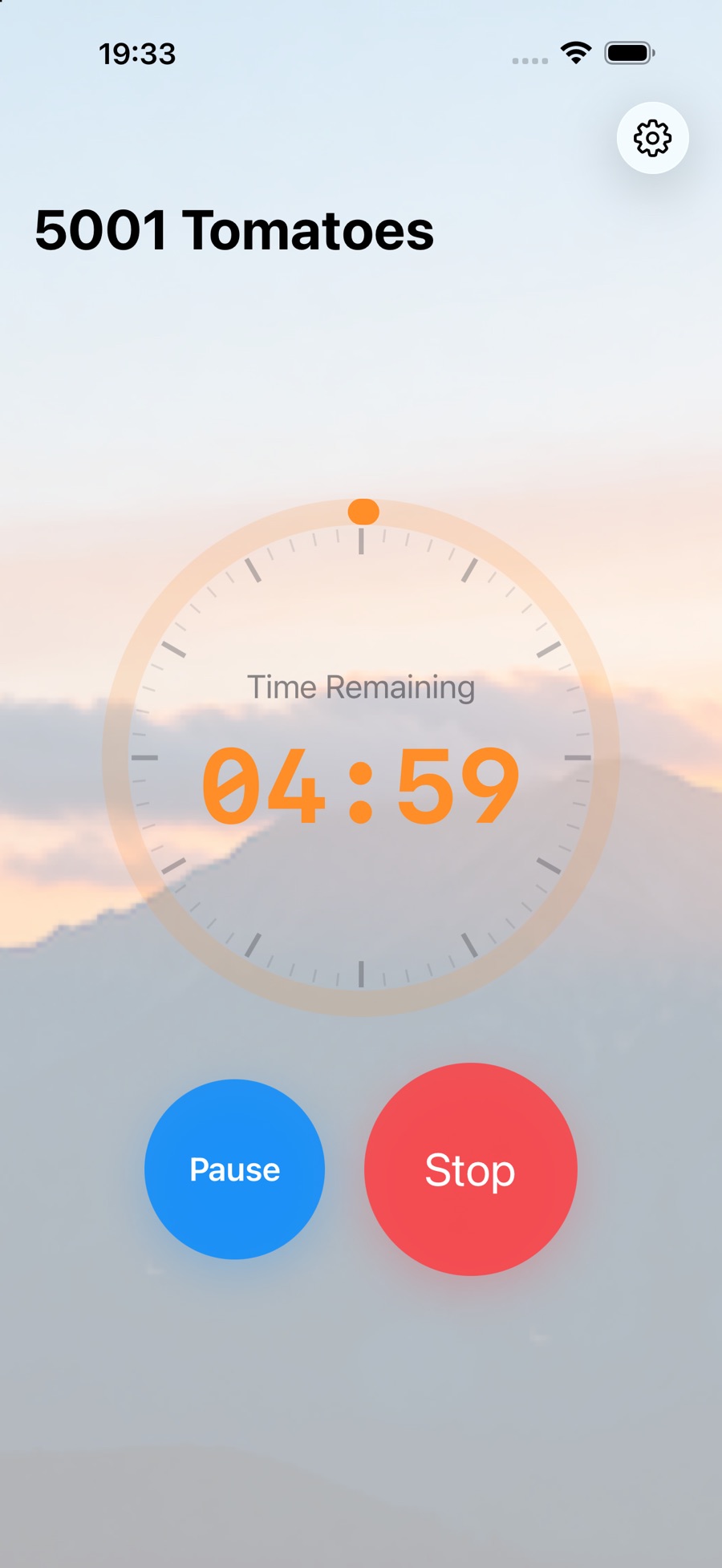
This was four months before I started 5001 Words. The same stretch of trying to learn a language produced both, the timer first.
A week of making it look right
The commit log for early October 2025 is almost entirely interface: ui cleanup, ipad ui fixes, UI improvements, best ui, BIG refactoring, moving stuff around, uodated ui. For an app with one button.
That ratio was correct. When the whole product is a button, the button is the product.
Then, on 9 October, two commits that matter more than they look: downgrade to ios16, and immediately after, downgrade to ios 15+, with extended functionality available on ios 16+.
I had built against the current SDK, as you do, and then went and looked at who that excluded. Dropping to iOS 15 meant giving up APIs I had already used and writing the graceful-degradation paths to keep the newer features where they were available. It is unglamorous work that no user will ever notice, and it is the difference between an app for people with new phones and an app for people with phones.
Then nothing for almost a year.
The rename
The app worked. I used it daily. There was nothing I wanted from it, so I did not touch it — the same dormancy that 5001 Words went through, only longer.
What broke the silence was Android. On 3 September 2026: preparing for publishing to Android store. And while porting, I had to confront what the thing had actually become.
Somewhere in that year I had stopped using it for Spanish and started using it at my desk. Twenty-five minutes, a break, repeat. I had been running a Pomodoro timer for months without renaming it in my head, because a Pomodoro timer is an interval timer with different numbers and a convention attached.
On 19 September 2026, one commit: "Rename to 5001 Tomatoes: new icon, translations, screenshots, and 1.3.0 release prep."
Pomodoro is Italian for tomato; the technique is named after a kitchen timer shaped like one. The name acknowledged what the app had become and brought it into the same family as the vocabulary app. The engine did not change at all — only the numbers it defaults to, an auto-continue setting for the work-break-work cycle, and statistics so it can answer "did I actually do this today".
The directory name never caught up. I have left it alone, because it is an accurate record of what I set out to build.
Pomodoro, and everything you can change
The Pomodoro technique comes from Francesco Cirillo, who timed his study sessions in the late 1980s with a tomato-shaped kitchen timer. The classic recipe is 25 minutes of work and a 5-minute break, with a longer break after every four rounds. Its value is the same as my five minutes: you commit to a short block rather than to finishing the task.
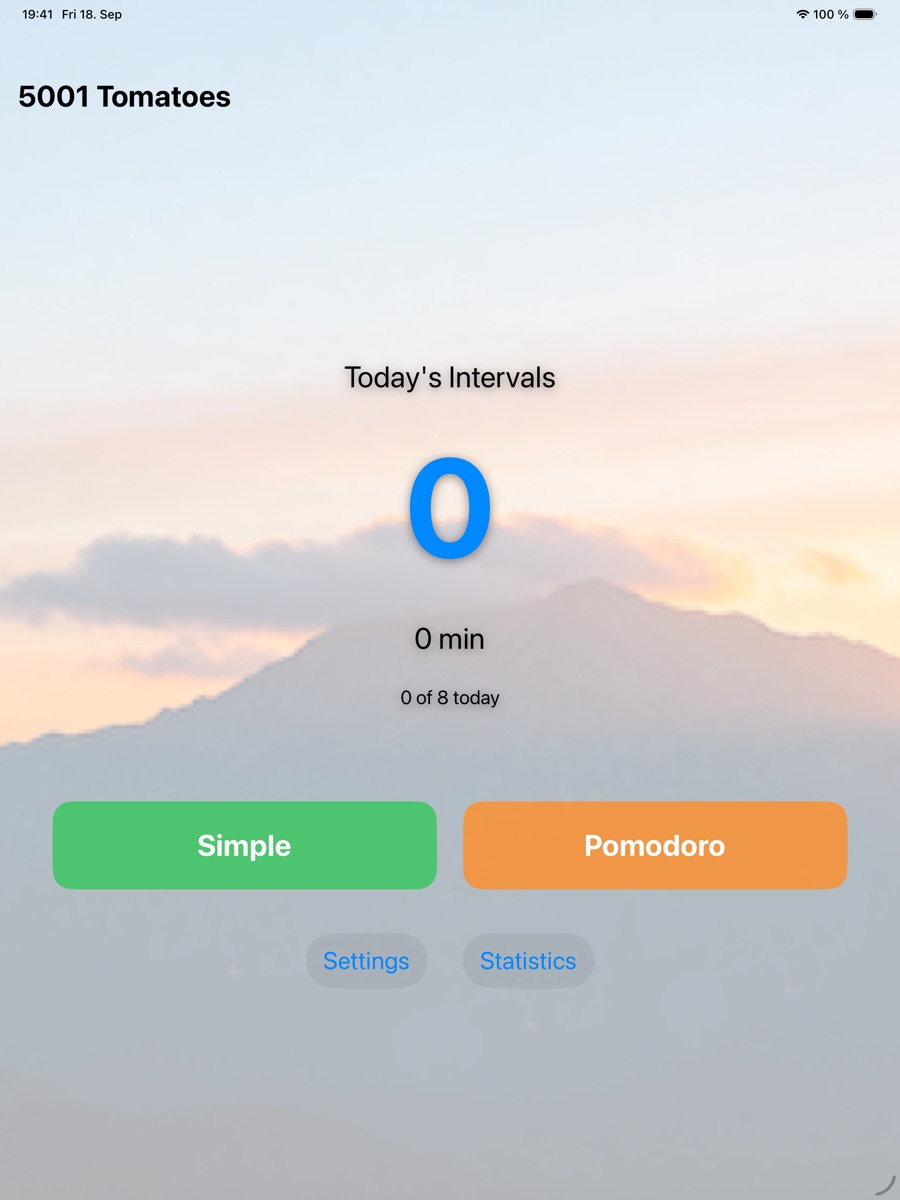
The one button is now two. Simple runs a single interval, which is the original app. Pomodoro runs the work-and-break cycle. Above them sit today's count, the minutes it adds up to, and progress towards a daily goal.
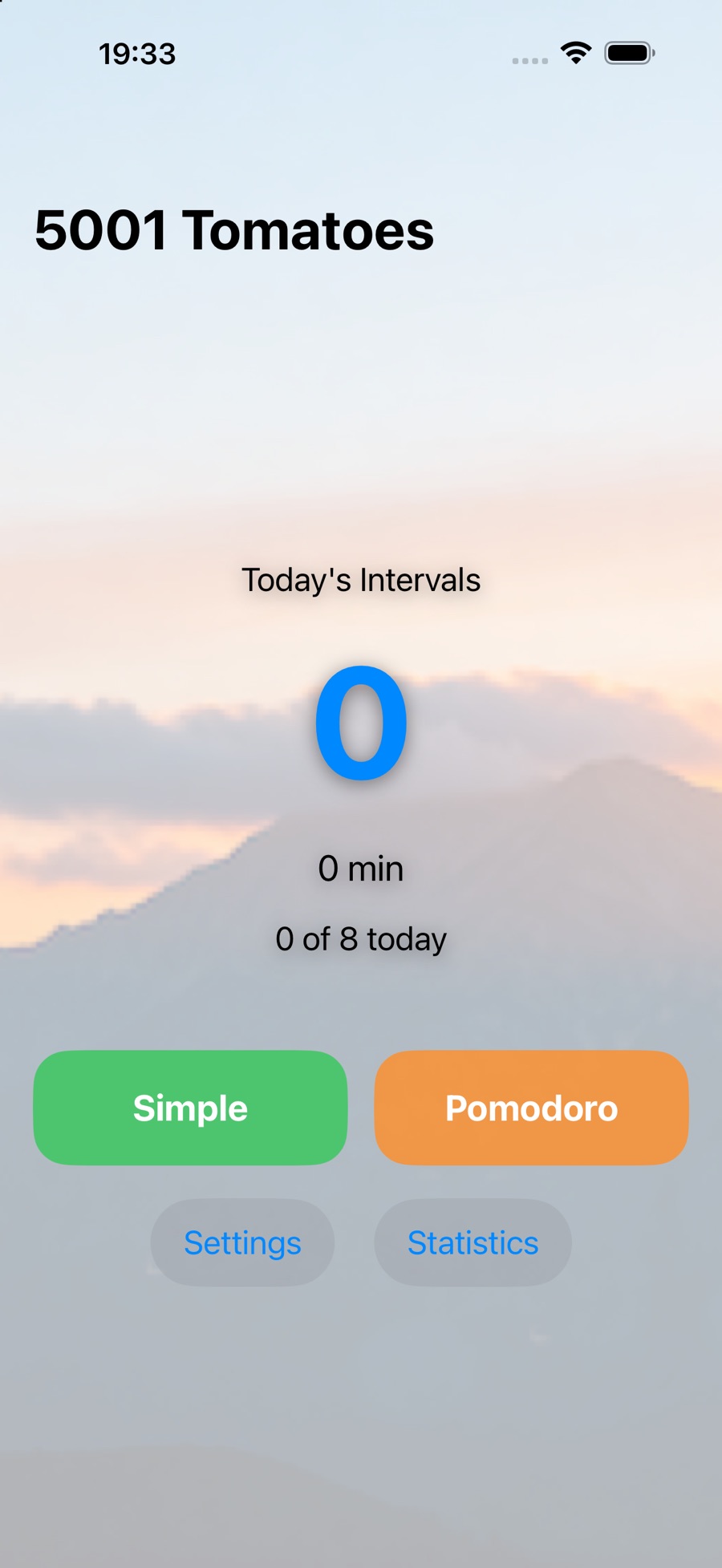
A recipe is only a starting point, so all of its numbers can be changed:
- Timer duration: the length of a Simple interval, 5 minutes by default. The Android listing gives the range as 1 to 60 minutes.
- Work, short break, long break: set separately, starting from 25, 5 and 15 minutes.
- Continue automatically: off by default. Off, each break waits for you to tap Continue. On, the cycle runs by itself.
- Pause and resume: the button can be hidden, if you would rather not have the option.
- Daily goal: 8 intervals by default, which drives the "0 of 8 today" line on the home screen.
- Language and appearance: the language follows the device unless you choose another, and the background can be your own photo.
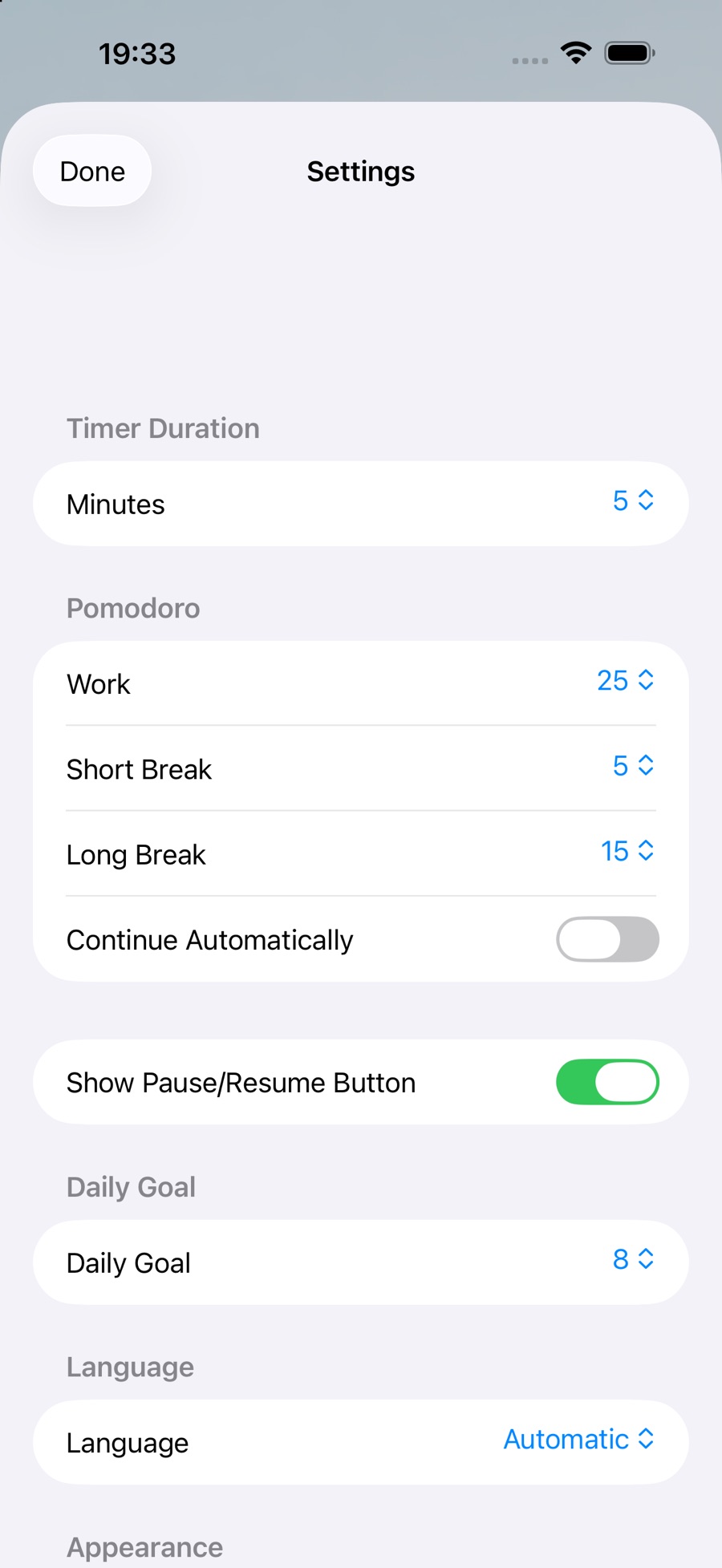
Settings save as you change them, and you can open them while a timer is running or paused. That means no save button and no need to stop a session to fix a number.
The running screen stays deliberately plain: a dial, the time left, and two buttons. On Android, an ongoing notification lets you pause, resume or stop without opening the app. A separate statistics screen shows your history as daily bar charts.
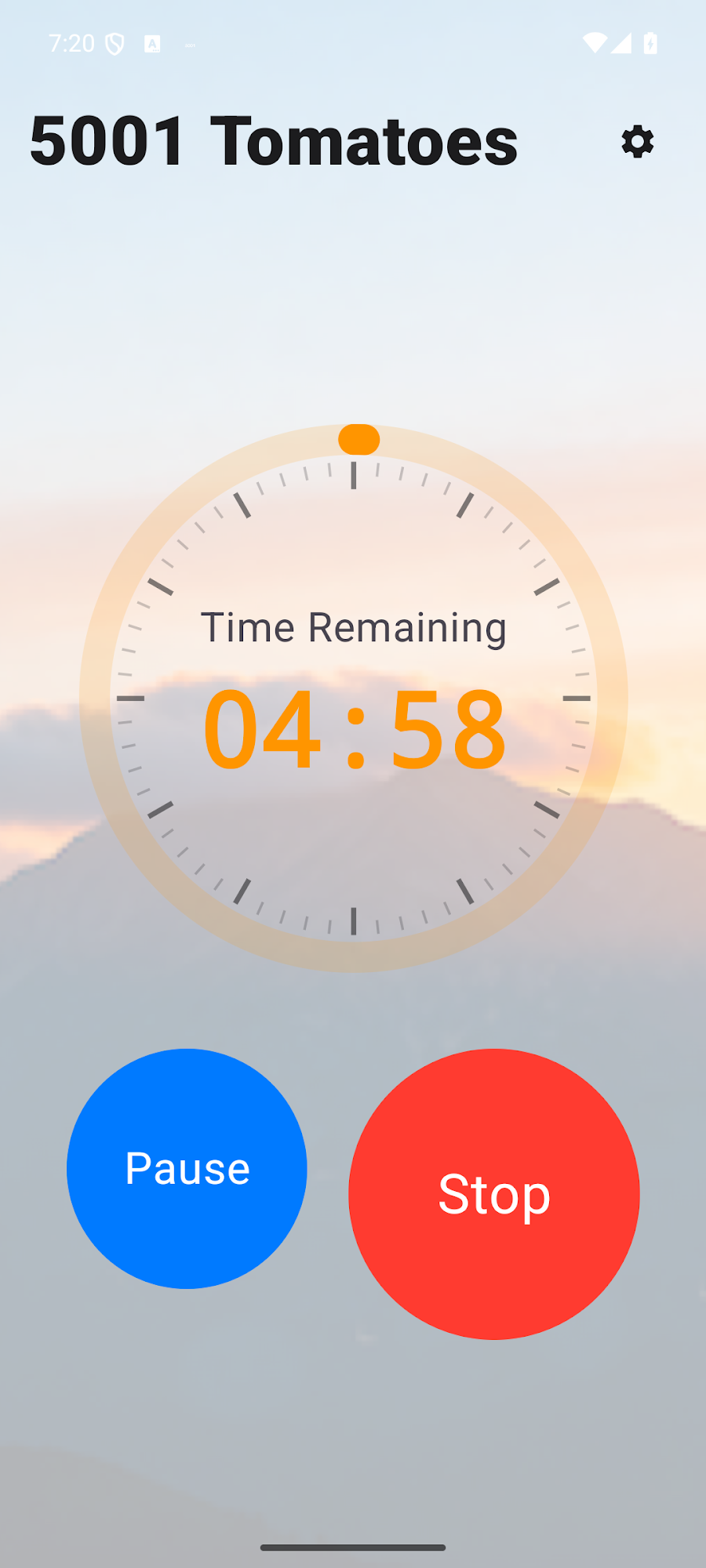
The app is also not only for Pomodoro. Five minutes of Spanish was its first job, and its store listings also suggest study sessions, exercise sets and meditation, because a timer does not care what you are counting.
What it deliberately does not do
No account. No cloud. No ads. No in-app purchase. No analytics.
Everything lives on the device in the platform's own small-settings store — SharedPreferences on Android, its equivalent on iOS. There is no database, no dependency-injection framework, no sync layer, because a timer that counts to twenty-five needs none of them, and each would be a thing to maintain and a place for data to leak.
That is the stance across all my apps, and it is easier to hold than it sounds: most features that require collecting data are features I did not want.
The one genuinely hard part
A timer is trivial until you remember that the operating system does not care about you.
Backgrounded, suspended, killed to reclaim memory — in any of those states an in-process countdown stops existing, and the user is standing in the kitchen waiting for a sound that will never come. A timer that silently fails is worse than no timer, because it accepted a promise and then dropped it.
So the countdown is not the authority. The alarm is registered with the system's own alarm service, which outlives the app being killed, with a notification and completion feedback behind it. The in-app state machine is what you watch; the OS-level alarm is what actually fires. Getting those two to agree across every lifecycle state was most of the real work.
The pleasant things came after that foundation was right: Live Activities, home-screen, lock-screen and StandBy widgets, haptics, and a native Watch app.
Seventy-six languages for four words
The Android build ships in 76 locales, iOS in rather more. For an app whose entire vocabulary is roughly start, pause, reset and settings, that is close to absurd.
It is also nearly free. The translations are not maintained twice — a script converts the iOS .strings files into Android's strings.xml, so a wording change made once propagates and the platforms cannot drift. Same discipline as the vocabulary app, which has the same problem at much larger scale.
Why bother for four words? Because the cost is a script, and an app that greets someone in their own language has already said something about who it was built for.
Not everything needs to grow
One of these projects became a vocabulary platform across 84 languages. The other found its shape in the first week of October 2025 and has spent the time since getting quieter — fewer taps, more reliable alarms, better behaviour when the OS is hostile, and a wider range of phones it will run on at all.
I think the second outcome is underrated. There is no roadmap. It does the thing.
5001 Tomatoes is free, with no ads and no purchases, on the App Store and Google Play.